AVIF vs WebP: When to Use Each Image Format for Photos
AVIF usually offers the smallest file sizes at equivalent quality, but compatibility, browser mix, and the source format of your original files can make JPEG or WebP the better choice. Here is a practical guide to when to serve AVIF, when to rely on WebP, and when JPEG still has a place in your image pipeline.
In this article
The Decision Rule
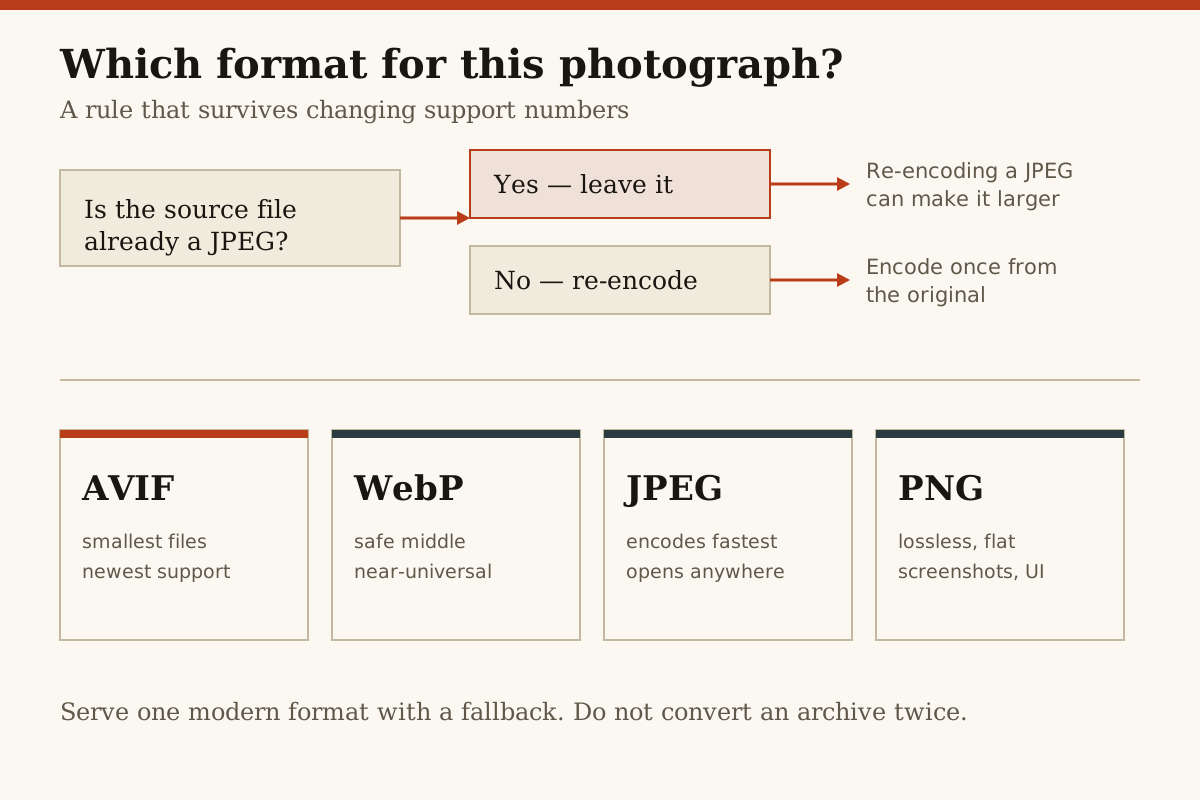
Your compression decision comes down to two factors: what portion of your audience can support AVIF, and whether your original files are already in a JPEG format.
Serve AVIF for photographs where a large majority of your audience uses an AVIF-compatible browser, such as an up-to-date version of Chrome, Firefox, or Opera.
When AVIF support is below 95%, use WebP as the fallback image format for photos, images, and most other raster graphics. This ensures the largest audience has access to your images, with picture quality that is only marginally worse than AVIF.
Finally, do not default to re-compressing any original JPEG files as either AVIF or WebP. In a real-world benchmark that compared lossless originals of the same photographs, compressing those files directly as AVIF or WebP consistently resulted in smaller files, but re-compressing JPEG files into either of the new formats actually inflated the file size by 25 to 57%. Tests done at a resolution of 12 megapixels or better on consumer-grade photos had the re-compression problem show up most clearly.
Further, when you're moving existing JPEG websites to a newer format, there's no need to compress all your images again — you'll probably wind up with a larger total data footprint than the already-compressed JPEGs.
What the Benchmarks Actually Show
When consumers take photos as JPEG files on their devices, this In 2026, the Cleanor benchmark showed that AVIF was the clear winner in terms of file size while still matching the visual quality of the original files. On a dataset of real consumer photographs, AVIF files took between 36 and 52% less storage than the JPEG files at equivalent quality settings. AVIF averaged about 29% less than JPEG, even when existing JPEG files are on the older JPGs' already-compressed files.
WebP fared much worse when tested in that benchmark when given JPEG original files as the input.
Support Today
WebP has essentially universal adoption among the latest versions of Chrome, Firefox, Safari, Edge, and Opera. But while a large majority of browsers use a version of Chrome that can support WebP, AVIF is more restricted. usage share at the time of writing.
In particular, AVIF is not supported in some older versions of Safari prior to 16. Today, in 2026, Safari users who aren't on an iPhone or iPad from 2023 or later won't see AVIF images.
On the good news side, AVIF does support spec in 2026 include alpha transparency and animation, the same as WebP. Both formats thus require JPEG as your source image.
Alpha, Animation, and Non-Photo Assets
That said, you should still focus on WebP for any graphics assets that involve transparent areas, animation frames, or diagrammatic elements. Consistent file size savings and broader support make it a safer bet for imagery that would cause transparency issues for either AVIF or WebP.
PNG's role as the default for lossless raster graphics remains secure, especially for user interface elements from earlier WebP benchmarks.
You should still supply a PNG version of any semi-transparent or animated graphics as a fallback to the two newer formats.
More in Imaging